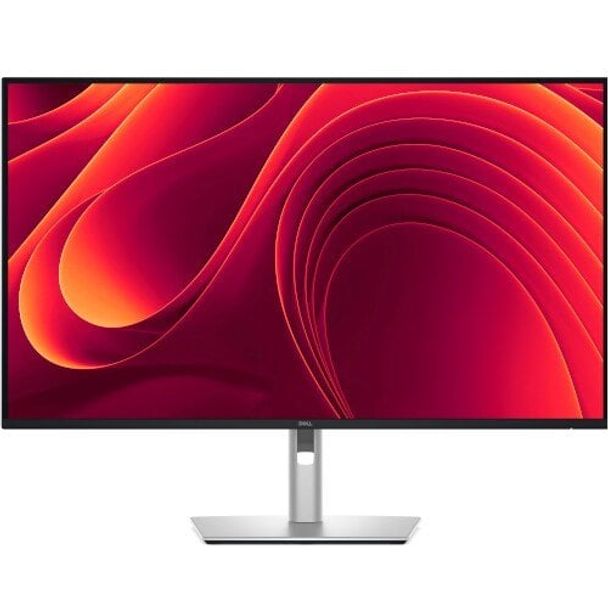
Dell P3225QE Pro 32 Plus 31.5" UHD 100Hz IPS USB-C Hub Monitor
| Location | Availability |
|---|---|
Online (Delivery) | Available from Supplier (2 to 7 Working Days) |
Notting Hill (Pickup) | Available from Supplier (2 to 7 Working Days) |
Preston (Pickup) | Available from Supplier (2 to 7 Working Days) |
West Melbourne (Pickup) | Available from Supplier (2 to 7 Working Days) |
Connectivity meets productivity | Single-cable solution
Transmit video, data, Ethernet and up to 90W power delivery all at once with USB-C.
Variety of ports
Including HDMI, DP, USB and RJ45 for stable Ethernet.
Works with devices on macOS®
Tested with devices on macOS, this USB-C monitor is ready-to-work with Mac®devices.
Enhanced eye comfort
TÜV 4-Star certified monitor for eye comfort reduces eye fatigue while you work. Play video about Dell Pro Plus Family Monitors Improved ComfortView Plus Video
Featurette for Improved ComfortView Plus | Improved ComfortView Plus
Reduced harmful blue light emissions to ≤35%, for all-day comfort without sacrificing colour.
Play video about High Refresh Rate
100Hz refresh rate delivers less flicker, more seamless scrolling and smoother motion.
Vivid Colours
Wide colour coverage with up to 1.07b displayable colours of 99% sRGB.
Picture perfect detail
With 4K resolution and improved contrast ratio, your work has never looked this good.
Stunning 4K
Every detail stands out with 4K (3840 x 2160) resolution.
Colour consistency
Vibrant colours across wide viewing angles enabled by In-Plane Switching (IPS) technology.
1500:1 contrast ratio
For deeper blacks and brighter whites.
Play video about Quick Access Ports Video
Quick Access Ports Video | Quick access ports
Experience the convenience of front-facing, pop-out USB-C (with up to 15W charging) and USB Type-A ports for easy connectivity. When you are done, just pop the ports back in for a clean look.
Work in comfort
Designed for comfort and style with adjustability features and an ultra-thin bezel.
Dell Display and Peripheral Manager
Experience Dell's singular, innovative application to optimise the performance of your entire Dell PC workspace
Maximise productivity
Easy Arrange tiles apps across screens with pre-set partitions and customises up to five windows, enhancing multitasking. Easy Arrange Memory saves and restores app profiles manually, on schedule, or at start-up.
Customise your views
Work comfortably, day or night. Automate your brightness and contrast settings to match your schedule.
More manageable
Save time and boost IT efficiency with the Dell Device Management Console to manage your Dell peripheral fleet at scale, from a single cloud-based console. Discover expanded Command Line Interface features from Dell Display and Peripheral Manager
- 31.5" viewable screen size delivers high-fidelity visuals with accurate brightness and colour across all content types
- Designed with LED edgelight, supports uniform backlighting and compact design, helping simplify deployment in embedded applications
- 5 ms response time enhances responsiveness and visual sharpness, ideal for action-packed games, sports, and dynamic media
- 16:9 widescreen layout enhances multitasking and visual depth, making it suitable for both creative workflows and media consumption
- Enjoy vibrant colours and crisp visuals with 350 cd/m² brightness, ideal for both bright environments and detailed content
- Eye Comfort Technology feature boosts monitor reliability and performance consistency for sustained productivity
- 3840 x 2160 maximum resolution delivers razor-sharp detail and stable image performance
- LED Monitor is reliable and delivers consistent performance for extended use
- 4K UHD resolution offers breathtaking clarity and detail, ideal for creative work, entertainment, and multitasking
- 100 Hz standard refresh rate reduces deterioration caused by blurring to preserve image clarity and support sustained visual performance